
If cloud storage is activated but playback is unavailable, reactivate it via the following steps:
Open the "Device" page in the App → Click the three-dot icon in the upper right corner of the camera → Select "Settings" → Click "Cloud Storage Settings" on the settings page → Ensure the "Cloud Storage Service" toggle is in the On state.
Cloud Storage Entry in Settings
Cloud Storage Toggle On
(Note: All cloud storage-related fees are subject to the selected plan; refer to the plan details table for specific prices.)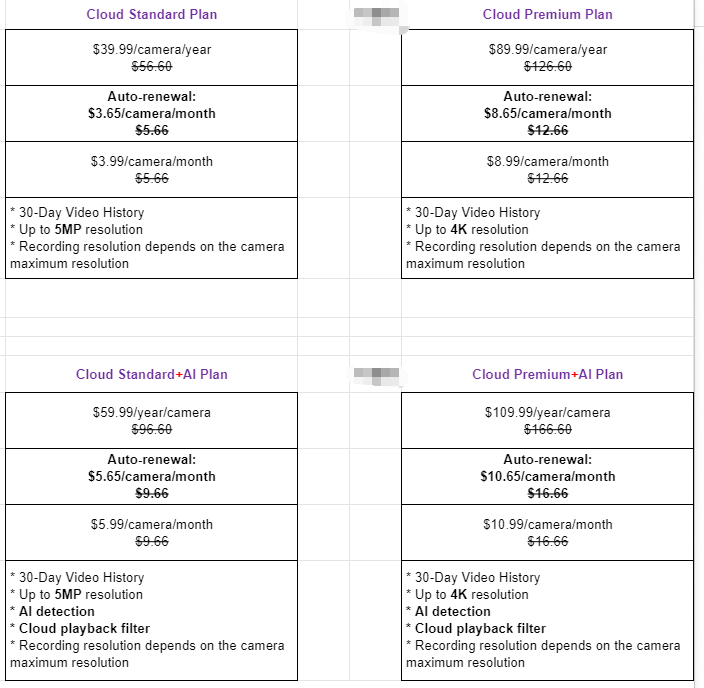
More question feel free to let us know.
Comments
0 comments
Please sign in to leave a comment.